Instagram Downloader for Android
Download Reels, videos, photos and stories on Android in Chrome - files land straight in your Downloads folder.
No login. We never store your files or your links.
- No app needed
- Chrome ready
- Auto-saves
- Free
How to download Instagram content on Android
-
 Step 1
Open Chrome
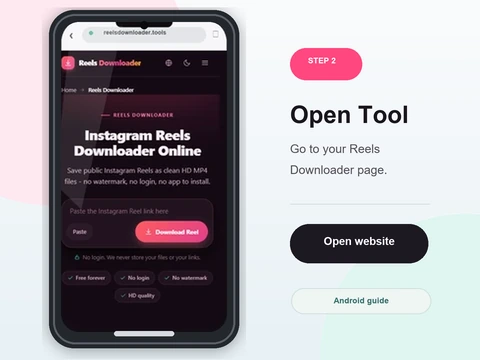
Launch Chrome on your Android device and go to Reels Downloader.
- Open Chrome on your Android phone and go to Rells Downloader.
- Nothing to install from the Play Store - it runs in the browser.
- Firefox and Samsung Internet work too, but Chrome is smoothest.
-
 Step 2
Copy the Instagram link
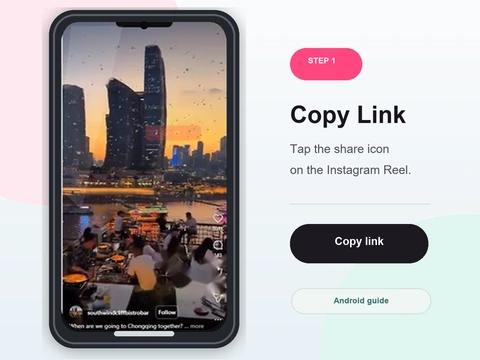
In the Instagram app, tap Share then Copy Link.
- In Instagram, tap the share icon on the post or Reel and choose Copy Link.
- Paste it into the box above with the Paste button or long-press Paste.
- Make sure the full link landed in the field.
-
 Step 3
Paste and tap Download
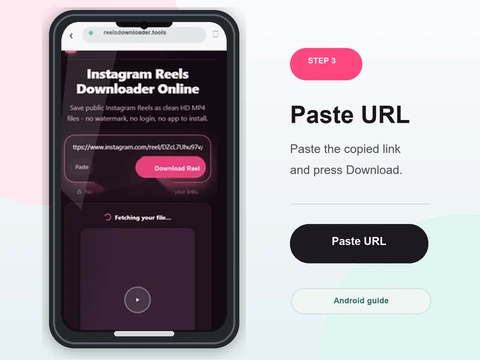
Drop the link into the box and tap Download.
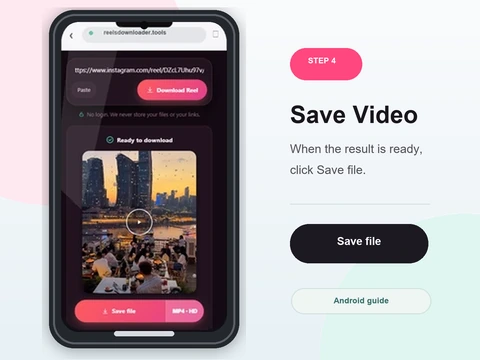
- Tap Download and wait for the preview, then tap Save.
- The HD MP4 downloads with no watermark added.
- Videos, photos, Reels and public stories are all supported.
-
 Step 4
Find it in Downloads
The file saves automatically to your Downloads folder and shows up in Gallery.
- The file saves automatically to your Downloads folder.
- It also appears in your Gallery app so you can watch or share it right away.
- No extra steps - Android keeps the file ready to use.
Built for Android
No app install
Works directly in Chrome - nothing to download from Play Store.
Auto-saves
Files drop straight into your Downloads folder with one tap.
No login
No Instagram credentials, no sign up.
HD quality
Reels and videos save in full quality with no watermark.
Where downloads save on Android
Files save automatically to the Downloads folder. Videos and photos also appear in your Gallery app so you can view them right away. Chrome is recommended for the smoothest experience, though Firefox and Samsung Internet also work.
Android downloader FAQ
Does Reels Downloader work on Android?
Yes. Open Reels Downloader in Chrome on your Android device and paste the Instagram link.
Do I need to install an app?
No. Reels Downloader works entirely in Chrome without any installation.
Where do downloads save on Android?
Files save automatically to the Downloads folder and appear in your Gallery app.
Which browsers work on Android?
Chrome is recommended. Firefox and Samsung Internet also work.
Can I save Reels to my gallery?
Yes. Downloaded MP4 files appear in the Gallery app automatically.
Is it free on Android?
Yes, completely free.
Public content only
Reels Downloader works exclusively with public Instagram posts. We do not store your downloads, we do not save your links, and we are not affiliated with Instagram or Meta. You are responsible for respecting copyright and the platform rules for any content you download.