Instagram Video Downloader
Download detected public Instagram video sources as MP4 from single posts, carousels and Reels, with no added watermark.
No login. We never store your files or your links.
- Free forever
- No login
- No watermark
- MP4 output
How to save Instagram videos
-
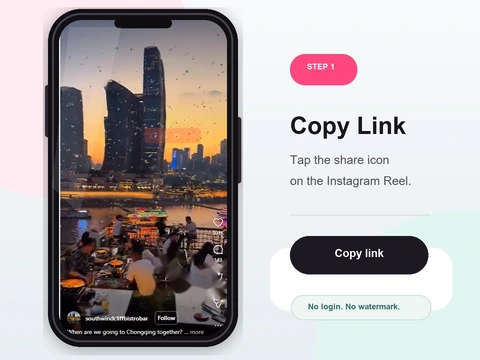 Step 1
Copy the video link
Tap the three dots on any public video post and choose Copy Link.
- Open the video post in Instagram and tap the three-dot menu in the top corner.
- Choose Copy Link to put the post URL on your clipboard.
- For carousel posts, one link covers the whole post - every clip is fetched.
-
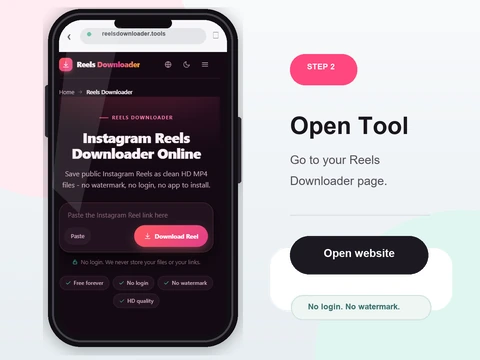 Step 2
Paste the URL
Paste it into the box above.
- Paste the link into the box above using the Paste button or Ctrl/Cmd+V.
- Double-check the full post URL landed in the field.
- Feed videos, carousels and public Reels are all accepted here.
-
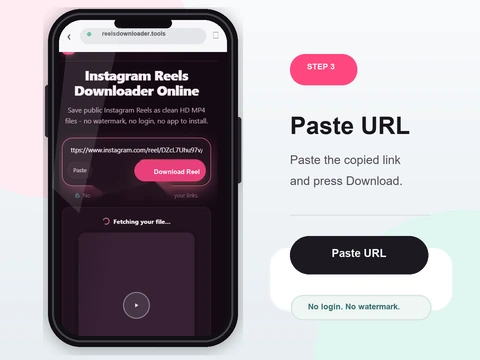 Step 3
Click Download
Reels Downloader grabs the highest available quality automatically.
- Click Download - the highest available quality is selected automatically.
- Carousel posts show every video as a separate item with its own Save button.
- Each item shows its real resolution so you know exactly what you are getting.
-
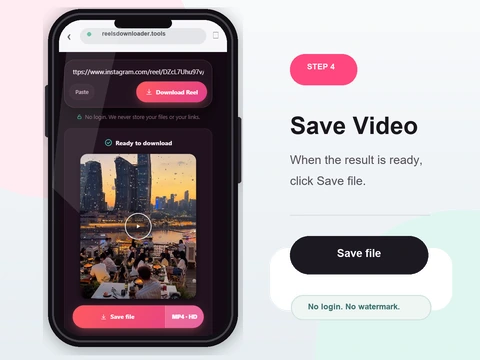 Step 4
Save to your device
The detected MP4 downloads with no watermark added by this site.
- Hit Save on an item to download its detected MP4 source.
- Files go to your Downloads folder on desktop, or Files/Gallery on mobile.
- Actual resolution and bitrate depend on the public source returned.
Built for every kind of video
Best detected source
The downloader avoids an extra intentional video conversion but cannot guarantee a fixed resolution.
Carousels supported
Multi-video carousel posts work - every clip is available to save.
No login
No account, no password, no personal data collected.
Fast & free
Free to use, subject to fair-use rate limits that protect service stability.
Supported video types
Single video posts
Standard feed videos from any public account.
Carousel videos
Multi-item posts where each video can be saved individually.
Public Reels
Reels also work here if you land on the video downloader first.
Instagram video output, quality and supported links
This tool accepts public Instagram post and supported Reel URLs, then returns the strongest public video source it detects without an extra intentional video conversion.
What this tool does not claim
- No private-account bypass
- No recovery of deleted posts or creator masters
- An MP4 extension does not guarantee HD
- Expired media links must be parsed again
Related evidence and troubleshooting
Video quality and MP4 formatsCarousel photos and videosWhere downloads are savedWhy downloads failWorks on iPhone, Android, and desktop
No app to install and nothing to sign up for. Reels Downloader runs entirely in your browser on every platform.
On iPhone
- 1Open Reels Downloader in Safari or Chrome
- 2Paste the copied link and tap Download
- 3Find the file in the Files app, then move to Photos
On Android
- 1Open Reels Downloader in Chrome
- 2Paste the link and tap Download
- 3The file saves to Downloads and appears in Gallery
On PC & Mac
- 1Open Reels Downloader in any browser
- 2Paste the link and click Download
- 3The file lands in your Downloads folder
Video downloader FAQ
Can I download Instagram videos in HD?
When Instagram exposes an HD source, the tool can return it. Resolution varies by post and is not guaranteed.
Does it work for carousel posts?
Yes. Multi-video carousel posts are supported and every video can be downloaded.
Is login required?
No login or account is needed at any step.
Can private videos be downloaded?
No. Only videos from public profiles are accessible.
Does it work on desktop and mobile?
Yes. It works in any modern browser on any device.
Is there a watermark on the downloaded video?
No watermark is added to the downloaded file.
Public content only
Reels Downloader works exclusively with public Instagram posts. We do not store your downloads, we do not save your links, and we are not affiliated with Instagram or Meta. You are responsible for respecting copyright and the platform rules for any content you download.