Instagram Story Downloader
Save media from a currently accessible public Story or Highlight link before it is removed or expires.
No login. We never store your files or your links.
- Free forever
- No login
- Public links
- Time-sensitive
How to download Instagram stories
-
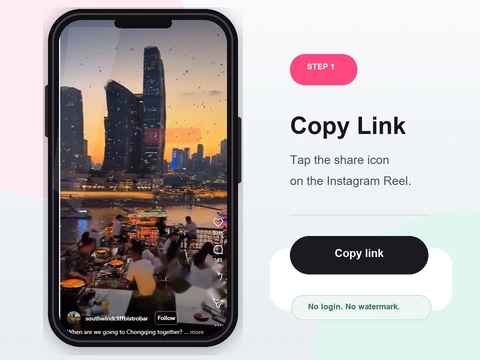 Step 1
Open the public story
Find the story or highlight on a public profile and copy its link.
- Open the public story or highlight you want and copy its link.
- In the app, tap the three dots and choose Copy Link; on the web, copy the address-bar URL.
- Live stories normally disappear after 24 hours; Highlights remain only while the owner keeps them published.
-
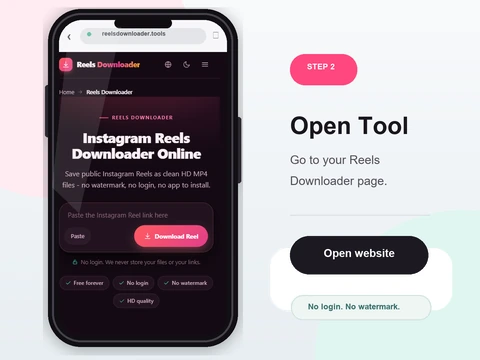 Step 2
Paste the URL
Drop the link into the box above.
- Paste the story link into the box above.
- Confirm the account is public - private stories are protected and cannot be fetched.
- Both photo and video stories are supported.
-
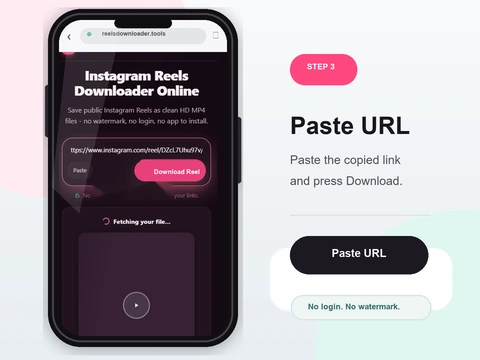 Step 3
Download the file
Reels Downloader saves the public photo or video source it can currently detect.
- Click Download and review whether a video or image source was detected.
- A preview appears so you can confirm it is the right story before saving.
- The file goes to Downloads on desktop, or Files/Gallery on your phone.
Why use this story saver
24-hour awareness
Save permitted public Story media while the source remains available.
Highlight links
Public Highlight media may work while the owner keeps it available.
No login
No account needed - and private stories stay protected.
Photo and video
The returned type and quality depend on the public source detected.
Supported story types
Active public stories
Any story currently live on a public account.
Story highlights
Pinned highlights on public profiles.
Photo & video stories
Reels Downloader detects the format and saves it accordingly.
A note on limits
Stories that have already expired cannot be recovered by any external tool. Private accounts are protected at the server level and are never accessible. You will need the full story link for the download to work.
Story availability, Highlights and privacy limits
Instagram Stories normally disappear after 24 hours unless the owner keeps them in Highlights. This tool only checks media currently exposed through a public Story link.
What this tool does not claim
- No expired Story recovery
- No private audience bypass
- No access to an owner-only archive
- No guarantee a Highlight remains published
Related evidence and troubleshooting
Save Stories before they expireStory downloads on PCWhy downloads failPublic and private boundariesWorks on iPhone, Android, and desktop
No app to install and nothing to sign up for. Reels Downloader runs entirely in your browser on every platform.
On iPhone
- 1Open Reels Downloader in Safari or Chrome
- 2Paste the copied link and tap Download
- 3Find the file in the Files app, then move to Photos
On Android
- 1Open Reels Downloader in Chrome
- 2Paste the link and tap Download
- 3The file saves to Downloads and appears in Gallery
On PC & Mac
- 1Open Reels Downloader in any browser
- 2Paste the link and click Download
- 3The file lands in your Downloads folder
Story downloader FAQ
Can I download Instagram stories without login?
Yes. No account or login is required.
Does it support story highlights?
A current public Highlight link may work while its media source remains available. Availability is not guaranteed.
Can expired stories be saved?
No. Once a story expires after 24 hours it cannot be retrieved by any external tool.
Can private stories be downloaded?
No. Private account content is protected at the server level.
Does it work on iPhone?
Yes. Open Reels Downloader in Safari or Chrome on iPhone and it works normally.
Is it free?
Yes, completely free with no limits or charges.
Related download tools
Public content only
Reels Downloader works exclusively with public Instagram posts. We do not store your downloads, we do not save your links, and we are not affiliated with Instagram or Meta. You are responsible for respecting copyright and the platform rules for any content you download.